Welcome to the wiki of Cubesia
Everything you need to know about the server, on a single page.
Commands
General
- /afk Allows you to teleport to the AFK zone.
- /bin /disposal /trash Allows you to destroy your items without causing lag.
- /home Opens the GUI to view, set, and delete your homes.
- /spawn Allows you to teleport to the spawn.
- /settings Opens a GUI allowing you to toggle messages/features.
- /jobs /job /skills /skill Opens the jobs interface.
- /pv /vault Opens your personal player vault.
- /msg /tell Allows you to send private messages.
- /profil /profile Opens your profile.
- /grave list Shows the list of your graves.
- /tpa Allows you to teleport to players.
- /tpahere Allows you to teleport a player to you.
- /tpa accept/cancel /tpahere accept/cancel Allows you to accept or cancel a teleportation request.
- /help /helpall Shows all available server commands (either page by page or all at once).
- /playerwarp /playerwarps /pw /pwarp /pwarps Opens the PlayerWarps interface.
- /order /orders Opens the orders interface.
- /reward /rewards Opens the rewards interface.
- /trade /trades Allows you to trade with other players.
- /leaderboard /leaderboards Opens the leaderboard interface.
- /team /teams Opens the team interface, or lets you use team commands.
- /fly Allows you to fly on your own schedule.
- /changelog Shows the server changelog directly in-game.
Utility
- /craft Opens a crafting table.
- /ec /enderchest Opens an ender chest.
- /anvil Opens an anvil.
- /grindstone Opens a grindstone.
- /smithingtable /smithing Opens a smithing table.
- /stonecutter Opens a stonecutter.
- /loom Opens a loom.
Links
- /discord Shows the link to the Discord.
- /wiki Shows the link to the Wiki.
- /rules /rule Shows the link to the Rules.
- /site /website Shows the link to the website.
Economy
- /money Shows your current balance in money.
- /money top Shows the top players in terms of money.
- /shards Shows your current balance in shards.
- /shards top Shows the top players in terms of shards.
- /pay Allows you to pay other players.
- /paytoggle Toggles payments from other players.
- /bounty Opens the bounty menu with the players' bounties.
- /bounty add Allows you to add a bounty on a player.
Shop & Sell
- /shop Opens the server shop.
- /sell /sellgui Allows you to sell your items (except custom fish).
- /sellprice /sellprices Opens a GUI to view item prices (tiers in alphabetical order).
- /sellall Allows you to sell your entire inventory.
- /autosell Toggles autosell (automatically sells selected items).
- /ah /auction /auctionhouse /hdv Opens the auction house (player trading hub).
Fish
- /fish Opens the custom fish interface.
- /sellfish Allows you to sell your fish.
- /fish journal Opens the fish collection interface.
- /fish applybaits Allows you to apply purchased or crafted bait to your fishing rod.
- /fish sellall Allows you to sell all your fish at once.
- /fish top Shows the top rankings (only during events).
- /fish toggle Toggles custom fishing on or off.
VIP only
- /heal Allows you to fully regenerate your health.
- /feed Allows you to fully replenish your hunger.
- 2 additional PWs
- 18 additional Player Vaults
Spawners
Spawner GUI
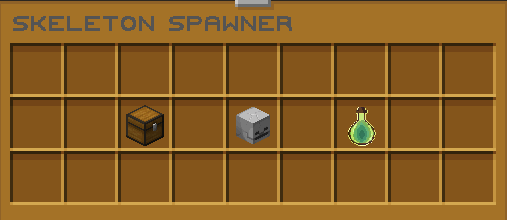
Every Spawner includes its own management interface, giving you quick access to everything related to your mob farm.
The Chest is the main storage, where every item dropped by your mobs is collected automatically.
The Mob Head acts as a convenient shortcut to instantly sell every stored item without opening the storage first.
You will also find the Experience storage, allowing you to collect all accumulated XP whenever you want. This experience can also be used to repair equipment enchanted with Mending, making your farm even more efficient.
Storage
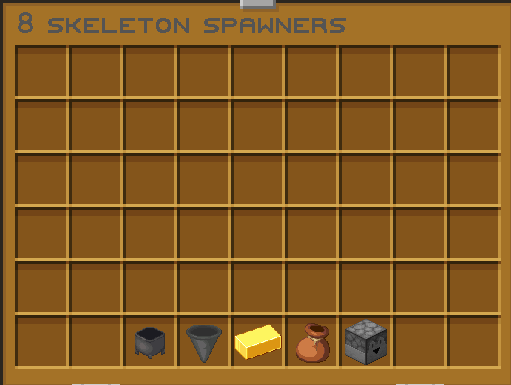
The Storage menu includes a variety of management tools designed to help you organize, filter, collect, sell, and control every item produced by your spawner.
The Cauldron automatically sorts the stored items, making your storage much easier to organize.
The Hopper opens the loot filter, allowing you to enable or disable specific mob drops.
The Gold Ingot instantly sells every item currently stored inside the spawner.
The Bundle transfers all stored items directly into your inventory.
Finally, the Dropper drops every stored item onto the ground, or only the current storage page if your storage spans multiple pages.
Loot Filter
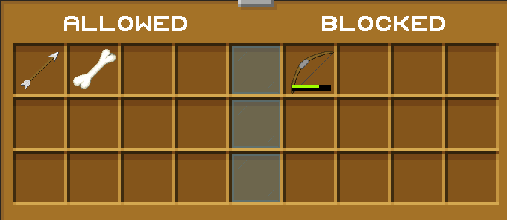
The Loot Filter allows you to choose exactly which drops should be stored by your spawner.
It is divided into two categories: Allowed and Disallowed.
Any item moved to the Disallowed category will no longer appear in the spawner's storage, helping you keep only the drops you actually want.
Switching an item between the two categories is as simple as clicking on it.
Items with durability, such as tools, weapons, and armor, are automatically grouped together regardless of their durability value, making the filter easy to configure and maintain.
Stacking
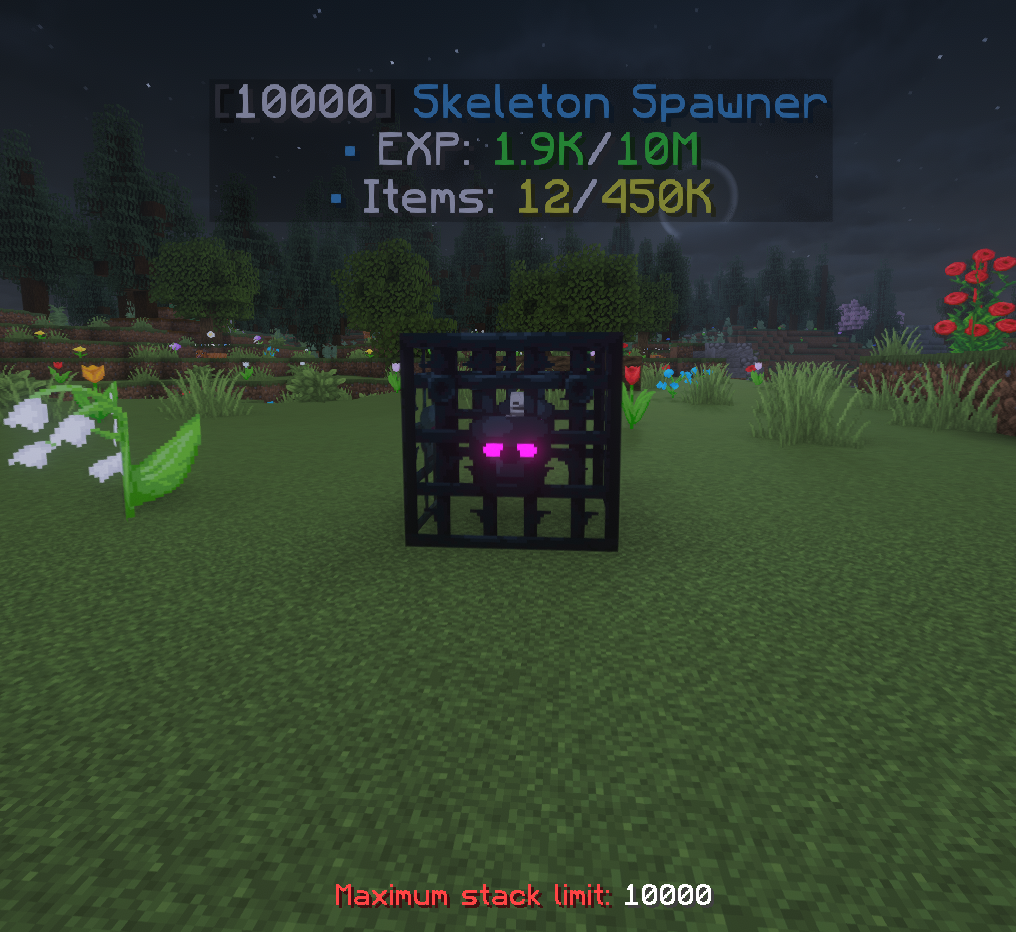
Spawners can be stacked together to save space and increase the efficiency of your mob farms.
To add spawners to an existing stack, simply right-click the spawner. A normal right-click adds one spawner, while Shift + Right-Click adds as many spawners as possible from your inventory in a single action.
To remove spawners from a stack, use Left-Click. A normal left-click removes one spawner, while Shift + Left-Click removes an entire stack at once, making it much faster to relocate or reorganize your farms.
Each spawner stack can contain up to 10,000 spawners, allowing you to build extremely compact and efficient mob farms while saving valuable space.
Unlike vanilla Minecraft, Silk Touch is not required to break and recover spawners, allowing you to move and manage them freely whenever needed.
Enchantments
Armor
| Name | Summary | Incompatible With | Max Level | Primary Items | Secondary Items | Weight |
|---|---|---|---|---|---|---|
| Cold Steel | Applies Mining Fatigue effect to the attacker. | III |

|

|
5 | |
| Darkness Cloak | Applies Darkness effect to the attacker. | III |
|
|
10 | |
| Dragon Heart | Grants passive Health Boost effect. | V |
|
|
2 | |
| Elemental Protection | Reduces potion and elemental damage. | IV |


|
10 | ||
| Fire Shield | Ignites the attacker. | IV |
|
|
2 | |
| Flame Walker | Ability to walk on lava, immunity to magma damage. | Frost Walker | II |
|
1 | |
| Hardened | Grants Resistance effect on receiving damage. | II |
|
|
5 | |
| Ice Shield | Freezes and slows down the attacker. | III |
|
|
10 | |
| Jumping | Grants Jump Boost effect. | II |
|
2 | ||
| Kamikadze | Creates an explosion on death. | III |
|
|
5 | |
| Lightweight | Allows you to safely jump on turtle eggs, farmlands and big dripleaf. | I |
|
10 | ||
| Night Vision | Grants Night Vision effect. | I |
|
1 | ||
| Rebound | Gives the effect of landing on a Slime Block. | Feather Falling | I |
|
2 | |
| Regrowth | Restores certain amount of hearts over the time. | IV |
|
|
2 | |
| Saturation | Restores certain amount of food over the time. | II |
|
2 | ||
| Speed | Grants Speed effect. | II |
|
2 | ||
| Stopping Force | Reduces Knockback when getting damage. | III |
|
5 | ||
| Water Breathing | Grants Water Breathing effect effect. | I |
|
1 |
Bow
| Name | Summary | Incompatible With | Max Level | Primary Items | Secondary Items | Weight |
|---|---|---|---|---|---|---|
| Bomber | Shoots TNT instead of arrows. | Ender Bow, Ghast | III |

|

|
1 |
| Confusing Arrows | Applies Nausea effect on arrows. | Bomber, Ender Bow, Ghast | III |
|
|
10 |
| Darkness Arrows | Applies Darkness effect on arrows. | Bomber, Ender Bow, Ghast | III |
|
|
10 |
| Dragonfire Arrows | Applies Dragons Breath effect on arrows. | Bomber, Ender Bow, Ghast | III |
|
|
2 |
| Electrified Arrows | Summons Lightning on hit. | Bomber, Ender Bow, Ghast | III |
|
|
5 |
| Ender Bow | Shoots Ender Pearls instead of arrows. | Bomber, Ghast | I |
|
|
1 |
| Explosive Arrows | Arrows Explodes on hit. | Bomber, Ender Bow, Ghast | III |
|
|
5 |
| Flare | Places a Torch where arrow land. | Bomber, Ender Bow, Ghast | I |
|
|
5 |
| Ghast | Shoots Fireball instead of arrows. | Bomber, Ender Bow | I |
|
|
1 |
| Hover | Applies Levitation effect on arrows. | Bomber, Ender Bow, Ghast | III |
|
|
10 |
| Lingering | Arrows with a lingering effect on hit. | Bomber, Ender Bow, Ghast | III |
|
|
2 |
| Poisoned Arrows | Applies Poison effect on arrows. | Bomber, Ender Bow, Ghast | III |
|
|
5 |
| Sniper | Increases projectile speed. | II |
|
|
10 | |
| Vampiric Arrows | Restores health on hit. | Bomber, Ender Bow, Ghast | III |
|
|
2 |
| Withered Arrows | Applies Wither effect on arrows. | Bomber, Ender Bow, Ghast | III |
|
|
5 |
Tool
| Name | Summary | Incompatible With | Max Level | Primary Items | Secondary Items | Weight |
|---|---|---|---|---|---|---|
| Blast Mining | Mines blocks with Explosions. | Tunnel, Veinminer | V |

|
2 | |
| Glass Breaker | Breaks glass instantly. | I |


|


|
10 | |
| Haste | Applies Haste effect on mining. | III |
|
|
2 | |
| Lucky Miner | Produces more XP from mined blocks. | III |
|
5 | ||
| Replanter | Replants Crops on harvest or right-click. | I |
|
1 | ||
| Silk Chest | Drops Chests that keeps their content. | I |
|
|
1 | |
| Smelter | Smelt dropped items according to their Recipes. | Silk Touch | V |
|
|
5 |
| Telekinesis | Moves all block loot directly to inventory. | I |
|
|
1 | |
| Treefeller | Cuts down an entire tree. | I |
|
2 | ||
| Tunnel | Mines 1x2, 2x2, 3x3 area. | Veinminer, Blast Mining | III |
|
|
1 |
| Veinminer | Mines the whole ore vein at once. | Tunnel, Blast Mining | III |
|
1 |
Fishing
| Name | Summary | Incompatible With | Max Level | Primary Items | Secondary Items | Weight |
|---|---|---|---|---|---|---|
| Auto Reel | Automatically reels in a hook on bite. | I |

|
1 | ||
| Curse of Drowned | Chance to fish up a Drowned. | III |
|
5 | ||
| Double Catch | Increases amount of caught item by x2. | III |
|
2 | ||
| River Master | Increases casting distance. | V |
|
10 | ||
| Seasoned Angler | Increases amount of gained XP. | III |
|
5 | ||
| Survivalist | Automatically cooks fish if what is caught is raw. | I |
|
2 |
Weapon
| Name | Summary | Incompatible With | Max Level | Primary Items | Secondary Items | Weight |
|---|---|---|---|---|---|---|
| Bane of Netherspawn | Increases damage to nether mobs. | V |

|
|
10 | |
| Blindness | Applies Blindness effect on target. | II |
|
|
10 | |
| Confusion | Applies Nausea effect on target. | II |
|
|
10 | |
| Cure | Cures Zombified Piglins and Zombie Villagers on kill. | III |
|
|
10 | |
| Curse of Death | If you kill a player, you have a chance of dying too. | III |
|
|
2 | |
| Cutter | Damages and drops target's armor. | III |
|
|
2 | |
| Decapitator | Allows to obtain target head. | II |
|
|
2 | |
| Double Strike | Increases damage by twice. | II |
|
|
1 | |
| Exhaust | Applies Hunger effect on target. | IV |
|
|
10 | |
| Ice Aspect | Freezes and applies Slowness on target. | III |
|
|
10 | |
| Infernus | Tridens sets targets on fire. | III |

|
10 | ||
| Nimble | Moves entity's drops directly to inventory. | I |
|
|
2 | |
| Paralyze | Applies Mining Fatigue effect on target. | V |
|
|
5 | |
| Rage | Grants Strength effect in combat. | II |
|
|
5 | |
| Rocket | Launches target into the space. | III |
|
|
5 | |
| Swiper | Steals player XP. | III |
|
|
2 | |
| Temper | Damage increases the more the less health you have. | V |
|
|
1 | |
| Thrifty | Drops mob Spawn Egg. | III |
|
|
2 | |
| Thunder | Summons Lightning on target with extra damage. | V |
|
|
5 | |
| Vampire | Steals target's health. | III |
|
|
2 | |
| Venom | Applies Poison effect on target. | II |
|
|
10 | |
| Village Defender | Increases damage to Illagers. | V |
|
|
10 | |
| Wisdom | Produces more XP from mobs. | V |
|
|
5 | |
| Wither | Applies Wither effect on target. | II |
|
|
5 |
Universal
| Name | Summary | Incompatible With | Max Level | Primary Items | Secondary Items | Weight |
|---|---|---|---|---|---|---|
| Curse of Breaking | Takes more durability points on use. | Unbreaking | III |


|
10 | |
| Curse of Fragility | Prevents item from being grindstoned or anviled. | I |
|
10 | ||
| Curse of Mediocrity | Disenchants block's and mob's loot. | III |
|
|
5 | |
| Curse of Misfortune | Reduces blocks and mobs loot to zero. | Fortune, Looting | III |
|
5 | |
| Restore | Saves item from breaking once. | III |
|
2 | ||
| Soulbound | Prevents item from being dropped upon death. | Curse of Vanishing | I |
|
2 |
Auction House
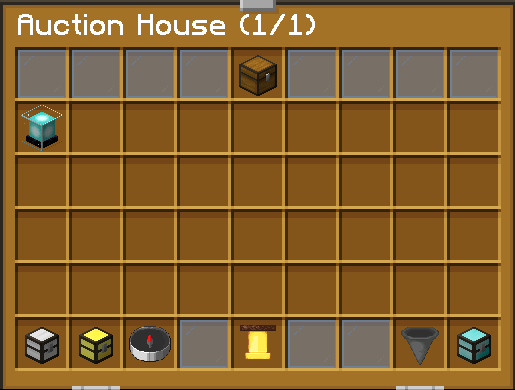
The Auction House is the player-driven marketplace of the server, where you can sell your items to other players and browse everything that others have put on sale.
Open it at any time with /ah (you can also use /auction, /auctionhouse or /hdv).
You are free to set the price you want for each item, so you decide how much your loot, your farms or your rare finds are worth.
Every listing remains on sale for 7 days, giving other players plenty of time to find it and buy it.
Each new listing is also announced in the #auctionhouse channel of our Discord, with the price, the item and more details, so you never miss a good deal. Open the channel.
Whether you want to turn your farm surplus into money or find the rare item you have been looking for, the Auction House is the place to do it.
Trade
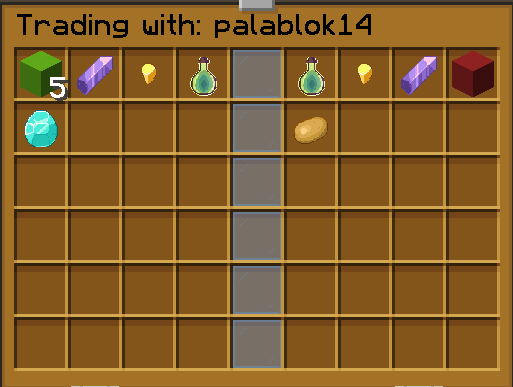
The Trade system lets you exchange items directly with another player through a dedicated interface, so you never have to drop anything on the ground and hope for the best.
Use /trade <player> (or /trades) to start a trade with the player of your choice.
The trade window lets both players put forward their items, making every exchange simple, clear and transparent.
It is the easiest way to swap resources, share loot with your friends or settle a deal with someone you trust.
Orders
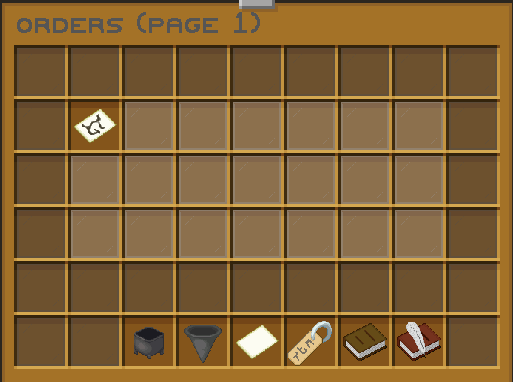
Orders let you ask other players for the blocks, items and resources you need.
Open the orders interface with /orders (or /order) to create a request or to browse the requests made by other players.
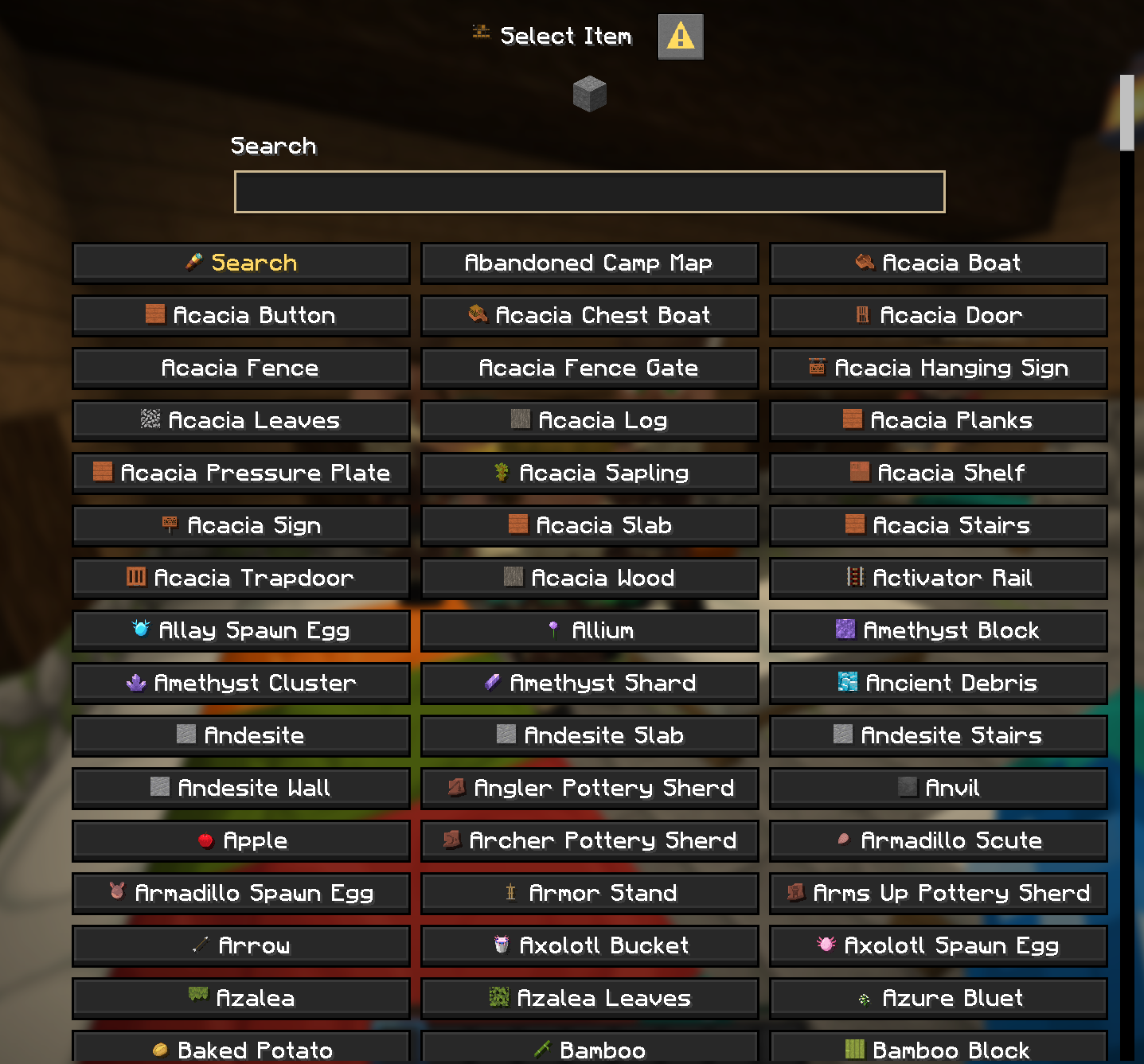
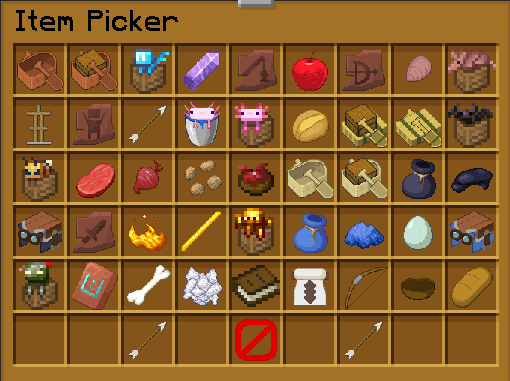
When creating an order, you simply select the item you are looking for in the selection menu, and the request becomes visible to everyone on the server.
Other players can then see what is needed and help you out, which is perfect when you are missing a specific resource or when you want to help the community.
Rewards
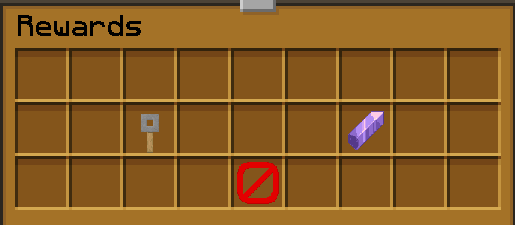
Rewards give you free goodies just for playing on the server, such as keys and much more.
Open the rewards interface with /rewards (or /reward) to see everything that is available to you.
Some rewards can be claimed every hour, while others are available once per day, so there is always a reason to come back and check the menu.
The more regularly you log in, the more rewards you will collect.
Teams
Teams let you play together with your friends and share your progress on the server.
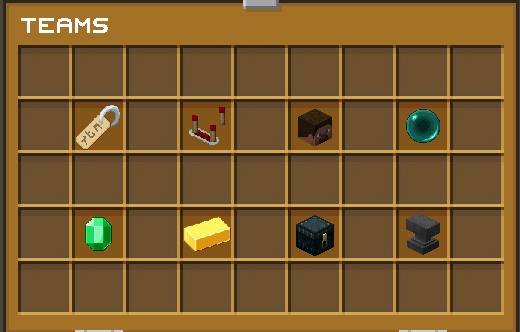
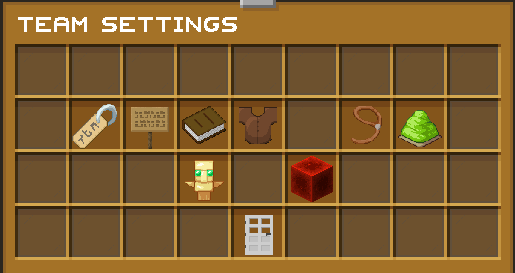
Open the team interface with /team (or /teams). Each team comes with its own menu, where you can manage everything in one place:
- Members – see the full list of players who are part of your team.
- Settings – customize how your team works.
- Upgrades – improve your team as it grows.
- Shared chest – a storage space that every member can access.
- Team bank – a shared balance for the whole team.
Working as a team makes it much easier to organize big projects, share resources and take on the challenges of the server together.
Leaderboards
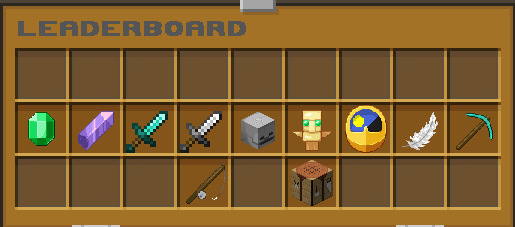
Leaderboards let you compete against the other players of the server and see exactly where you stand.
Open the leaderboard interface with /leaderboard (or /leaderboards), climb the rankings, outdo your rivals and show everyone that you are among the best players on Cubesia.
You can also check some rankings directly with /money top and /shards top.
Chat Games
Chat Games are small games that appear regularly in the chat to bring a little extra fun to the server.
They come in many forms, such as trivia questions, math equations and many other challenges.
Keep an eye on the chat and be the first to type the correct answer to win the round.

Server Changelog
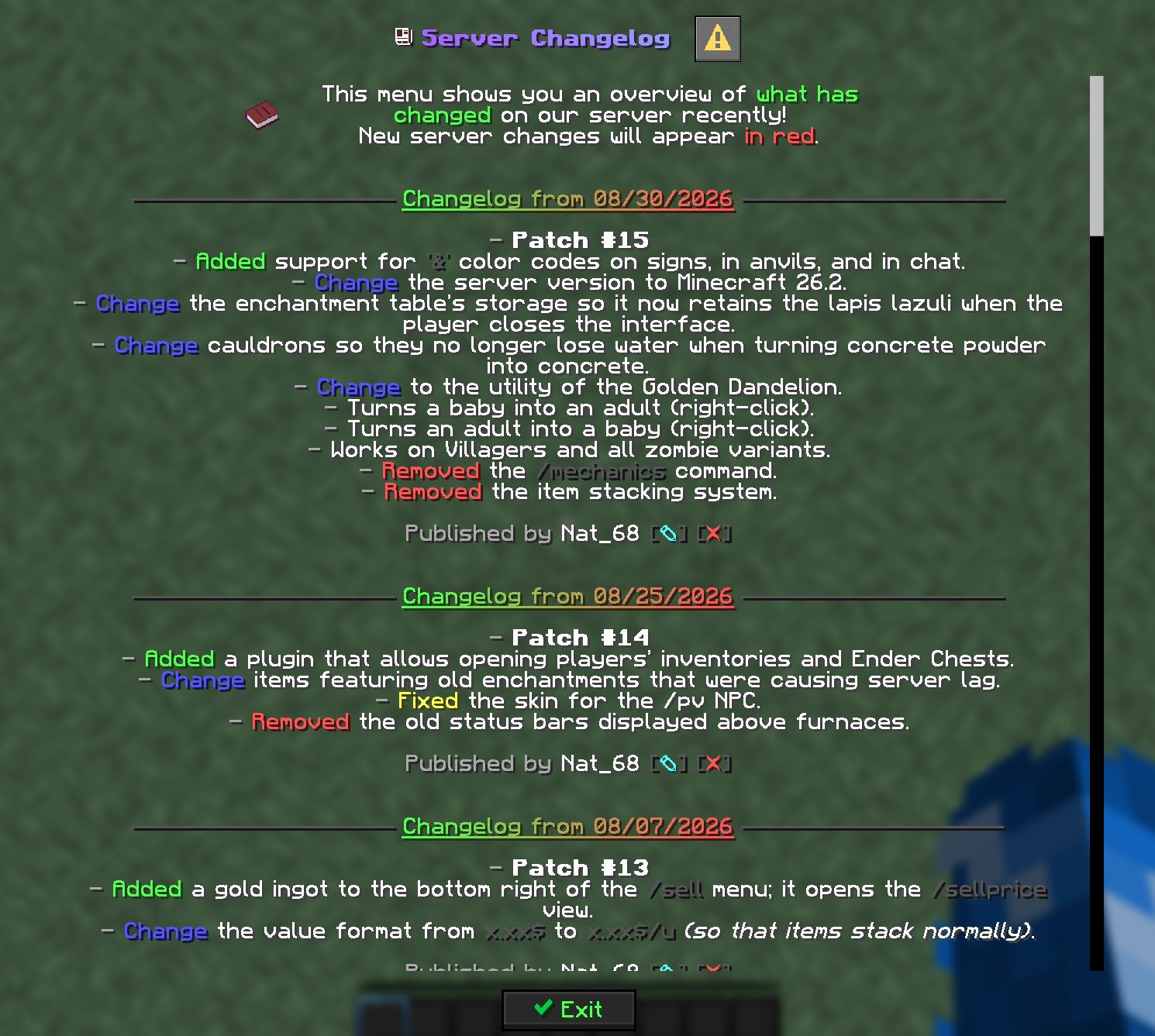
The server changelog is available directly in game, so you can follow every update without leaving Minecraft.
Use the /changelog command to read it at any time.
It lists the changes of each patch (new features, fixes, balance changes and removals) using the same colors as the Patch page of this website.
Death Messages
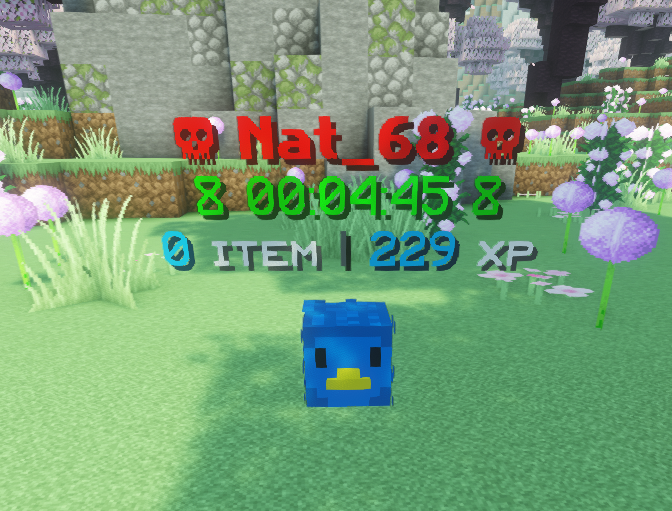
The server now features new, custom death messages.
Whenever a player dies, a redesigned message is displayed in the chat, making every death a little more memorable.

Fly Time
Fly time lets you fly around for a limited amount of time, and it can be obtained from the Common Crate.
Once you have some fly time, use /fly to take off whenever you want and explore, build or travel across the server from above.
Open the crate and, with a bit of luck, fly time will be one of your rewards.

AFKZone
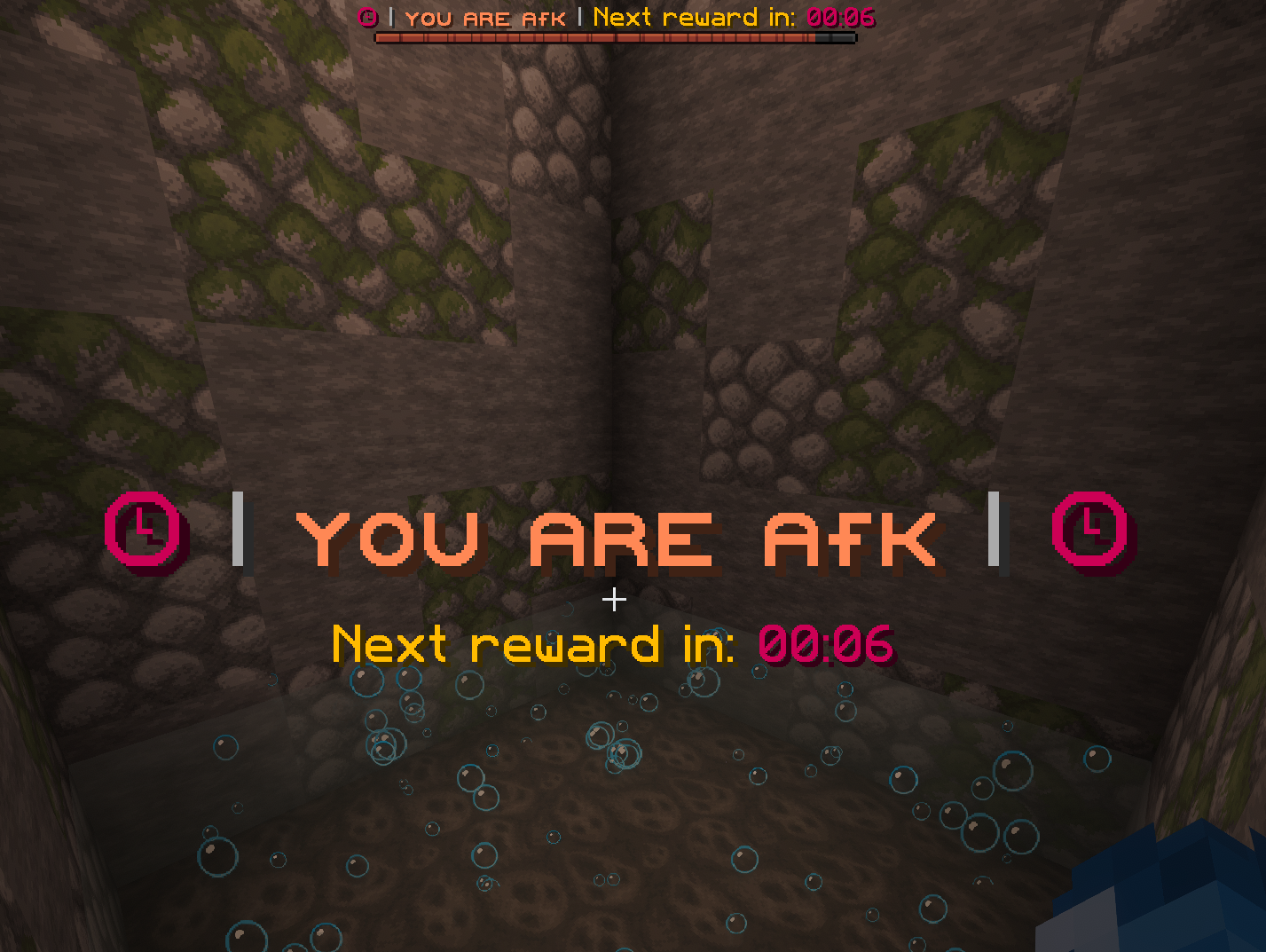
The AFK Zone is a dedicated area designed to reward players even while they are away from their keyboard.
For every minute spent in the AFK Zone, you will receive a random reward. The longer you remain there, the more rewards you will collect, giving you additional chances to obtain valuable resources over time.
You can access the area at any time using the /afk command, which teleports you directly to the AFK Zone.
You are also free to leave the zone whenever you wish to continue exploring, building, trading, fighting, or progressing on the server.
The available rewards and their drop chances are as follows:
- 15% – 1 Shard
- 20% – 3 Shards
- 30% – 5 Shards
- 20% – 10 Shards
- 11% – 25 Shards
- 3% – 100 Shards
- 1% - 500 Shards
The AFK Zone is a simple way to earn extra rewards while taking a break, making every minute spent online a little more rewarding.


Graves
A grave system is available to protect your items and experience for 10 minutes after death.
Even if you die in lava, your belongings will remain safely stored inside your grave, giving you enough time to return and recover them.
Simply travel back to the location of your death to retrieve everything. Keep in mind that you'll have to make the journey on foot (unless you're using a Handic Card 😄).
When you die, a grave is automatically created at the exact location of your death, and its coordinates are immediately displayed so you can easily find your way back.
Once you reach your grave, you can right-click it to retrieve your items one by one, or use Shift + Right-Click to collect everything instantly.
You can also use the /grave list command to manage your graves. It displays all of your active graves, their locations, and the remaining time before each one disappears, helping you recover your belongings before they are lost forever.
This system provides an extra layer of protection for your valuables, making death much less punishing while still encouraging you to return and recover your equipment.


SellWands
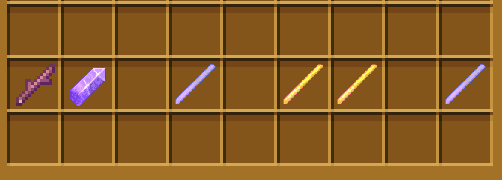
Sell Wands allow you to sell the contents of an entire chest instantly with just a single click, making resource management much faster and more convenient.
Each Sell Wand has its own multiplier, which depends on its rarity and directly increases the amount of money you receive from each sale.
They also have a limited durability that decreases with every use, with higher rarity Sell Wands generally offering both better multipliers and more durability.
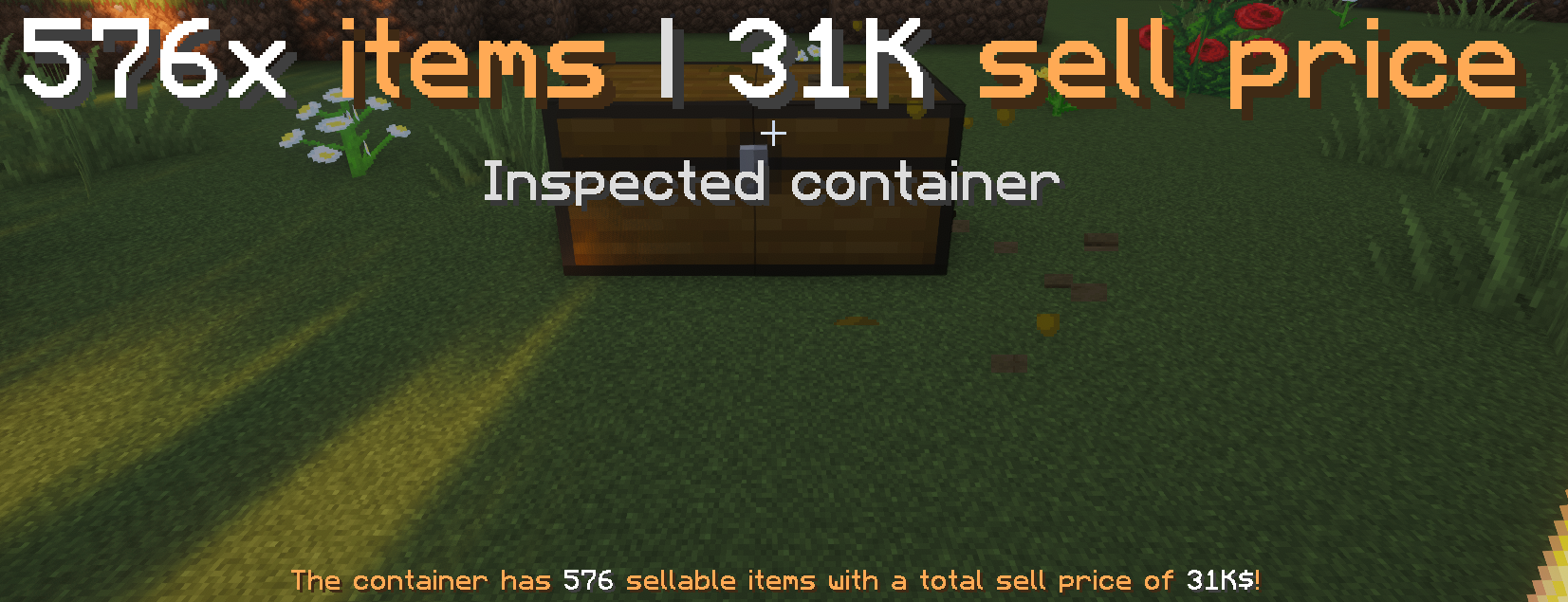
To use a Sell Wand, simply left-click a chest to inspect its contents and view the total number of items along with the amount of money you would earn from selling them.
If you are satisfied with the result, simply right-click the chest to sell all eligible items instantly and receive your money immediately.
This system allows you to manage large quantities of items efficiently while maximizing your profits, making Sell Wands an essential tool for farms and automated resource production.

Vaults
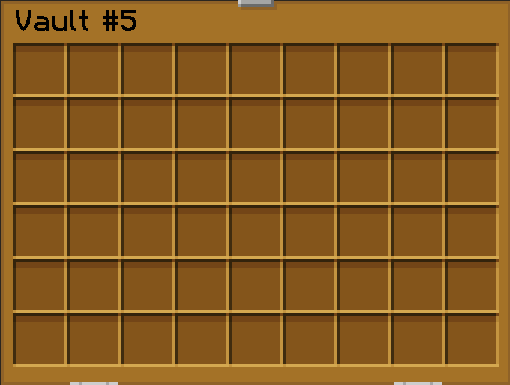
Personal Vaults (PVs) are secure private double chests that can only be accessed by their owner, providing a safe place to store your most valuable items.
You can store virtually any type of item inside, including valuable resources, rare equipment, and long-term supplies, while stackable items behave just like they do in normal chests to maximize storage efficiency.
Use the /pv command (or /vault) to open your Personal Vault menu at any time and access your stored items from anywhere on the server.
Inside the /pv menu, you can Shift + Click on a vault to customize its icon, replacing the default barrel with an item of your choice for a cleaner and more personalized interface.
By default unlock 27 Personal Vaults, with VIP rank it's 45 Personal Vaults.
Fish
The server features a complete custom fishing system with dozens of unique fish represented by custom player heads, each with its own rarity, value, and collection progress.
Every fish you catch is automatically recorded in your personal collection, encouraging exploration and giving you new species to discover across the world.
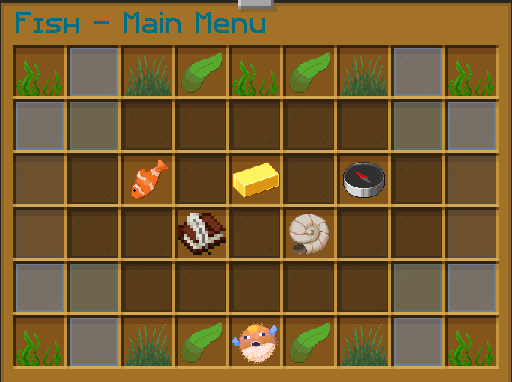
The main command is /fish, which opens the fishing menu and provides access to every available feature, including bait management, your collection, statistics, and more.
Use /fish journal to browse your Fishing Journal, where you can view every available fish, track your discoveries, and monitor your overall completion progress.
Fish can be sold instantly with /sellfish, allowing you to quickly convert your catches into money without needing to visit a shop.
Use /fish sellall to sell all your fish at once, and /fish toggle to enable or disable custom fishing.
If you have purchased or obtained fishing baits, use /fish applybaits to apply them to your fishing rod and benefit from their special effects while fishing.
During fishing competitions and server events, /fish top displays the live leaderboard, allowing you to see the current rankings and track who is leading the event in real time.
Whether you enjoy collecting every species, earning money through fishing, or competing against other players during events, the custom fishing system offers plenty of progression and rewards for every type of fisherman.
Elevator
Elevators provide a fast and convenient way to travel vertically through your base without using ladders or stairs.
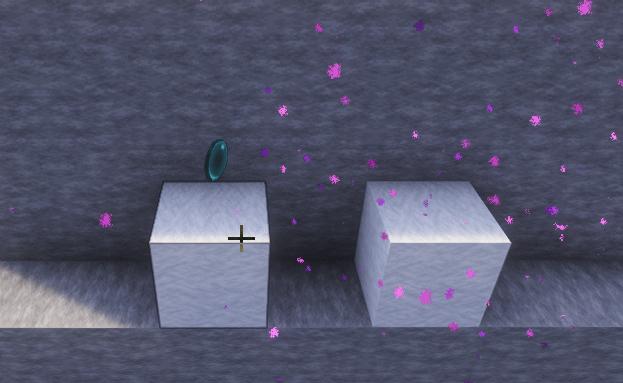
To create an elevator, simply throw an Ender Pearl onto a wool block. Then, place another elevator block above and/or below it to create a connected elevator system.
Once both elevator blocks are in place, simply jump while standing on the lower elevator to travel upward, or sneak on the upper elevator to travel downward instantly.
Both elevator blocks must be the same wool color in order to connect and function correctly.
This system allows you to move quickly between different floors while keeping your builds clean, compact, and easy to navigate.
Jobs
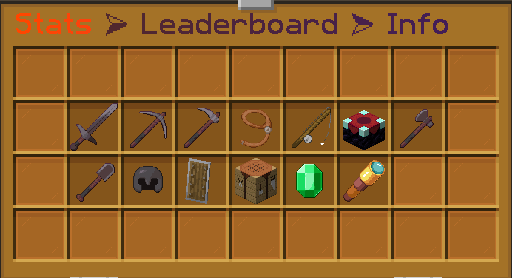
Jobs allow you to earn both money and experience by performing everyday activities such as mining, farming, fishing, building, hunting, and much more.
Use the /jobs command (or /job, /skills, /skill) to open the Jobs menu, where you can browse every available profession and manage your progress.
Right-click on a job to open its detailed information page, showing how much experience and money you earn for each supported action, helping you choose the most profitable activities.
Left-click on a job to view its leaderboard, allowing you to compare your progress with other players and see who has reached the highest level in each profession.
Whether you focus on a single profession or level up multiple jobs, the system provides a rewarding way to progress while playing normally on the server.
Bounty
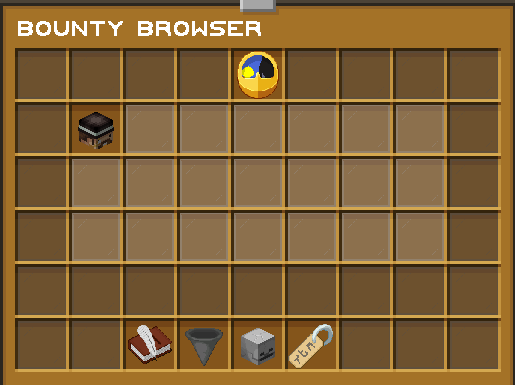
The Bounty system allows players to place a cash reward on another player's head, encouraging PvP and creating exciting hunting opportunities across the server.
If a player with an active bounty is killed, the player who eliminates them automatically receives the bounty reward.
Use /bounty to open the bounty menu and see every active bounty on the server.
To place a bounty, simply use the command /bounty add <player> <amount>, replacing <player> with the target's username and <amount> with the amount of money you wish to offer.
Whether you want revenge, create friendly competition, or simply make PvP more rewarding, the Bounty system adds an extra layer of excitement to every encounter.
Sell
The /sell command allows you to quickly sell a wide variety of items without needing to visit a physical shop.
Simply open the selling interface with /sell (or /sellgui) and place the items you wish to sell to instantly receive the corresponding amount of money.
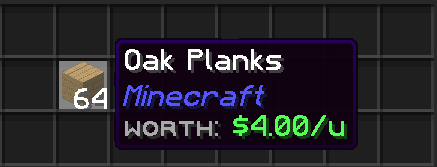
Every sellable item has a predefined Worth, which is displayed directly in its tooltip, making it easy to know its value before selling.
If you want to check prices without opening the selling menu, you can also use /sellprice (or /sellprices) to browse the complete list of item values available on the server.
To sell your entire inventory in one go, use /sellall, and use /autosell to enable or disable the automatic selling of the items you selected.
This system provides a fast and convenient way to turn your resources into money while helping you plan farms and maximize your profits.
Small Changes
A collection of smaller improvements and quality-of-life features that make everyday gameplay smoother. Each one is simple on its own, but together they make a real difference.
Shulkers
Shulker Boxes can now be opened directly from your inventory, without needing to place them on the ground first.
Simply carry a Shulker Box in your inventory to access its contents instantly, saving you the time of placing and breaking it every time you need an item.
This feature makes inventory management much faster, more convenient, and more efficient, especially during mining, exploration, or building sessions.

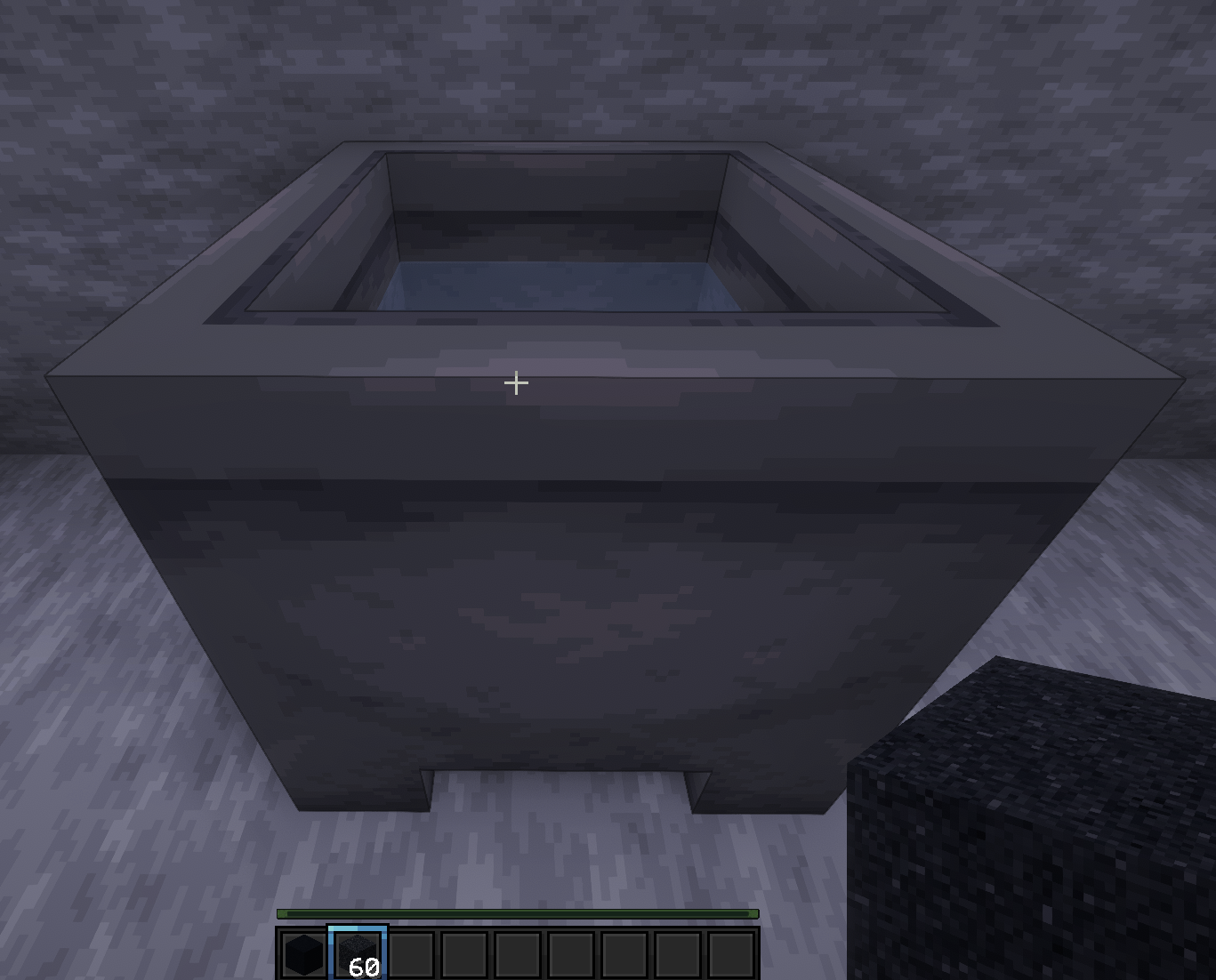
Cauldron Concrete
Cauldron Concrete makes crafting concrete much faster by allowing you to convert Concrete Powder into regular Concrete without placing each block individually.
Simply hold the desired Concrete Powder, then Shift + Right-Click on a water-filled cauldron to instantly harden it into normal Concrete.
This feature saves a considerable amount of time when building large structures, as you no longer need to place and break every Concrete Powder block manually.
It is a simple but extremely useful quality-of-life improvement for builders and anyone working on large construction projects.
Cauldrons also no longer lose water when converting Concrete Powder into Concrete, so a single filled cauldron can harden as many blocks as you need, with no need to refill it between conversions.
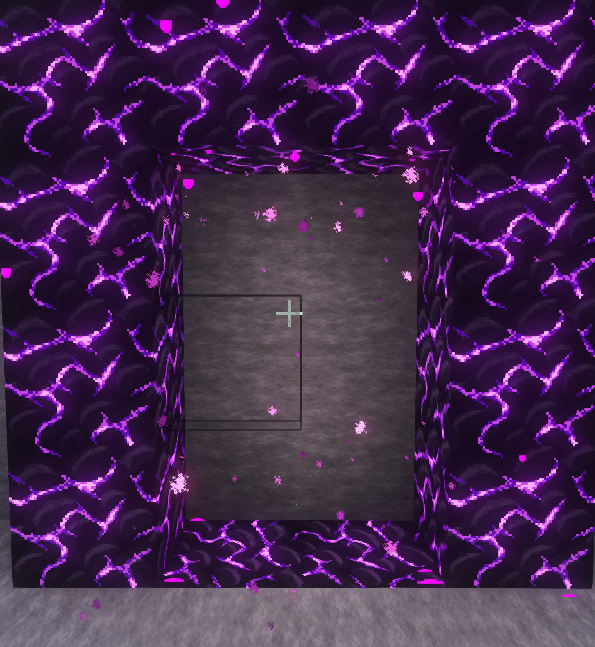
Crying Portal
Nether Portals can also be built using Crying Obsidian, giving you additional flexibility when designing your builds.
A portal made entirely of Crying Obsidian functions exactly like a regular Obsidian portal and can be lit in the same way.
This feature allows you to create unique portal designs while taking advantage of the distinctive appearance and animated texture of Crying Obsidian.
Whether for aesthetics or creativity, Crying Obsidian is a fully valid alternative for constructing Nether Portals on the server.
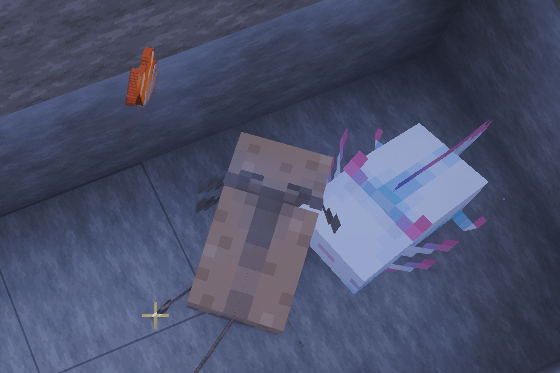
Axolotl Feed
Axolotl Feed lets you feed axolotls directly using Tropical Fish, without needing to capture them in a water bucket first.
Simply use a Tropical Fish on an axolotl to feed or breed it, making the process much faster and more convenient.
The traditional method using a Bucket of Tropical Fish still works exactly as in vanilla Minecraft, so you are free to use whichever method you prefer.
This quality-of-life feature makes breeding and caring for axolotls much easier while preserving the original game mechanics.
Messages Villager / Trader
Villager & Wandering Trader Notifications keep you informed about important events involving villagers and wandering traders.
Whenever a Villager dies, a server message is automatically sent, including the exact coordinates of where the death occurred, making it easier to investigate or react quickly.
Whenever a Wandering Trader spawns, a notification is also broadcast to all players, letting everyone know that a trader has appeared somewhere in the world.
These notifications improve awareness across the server, helping players protect their villagers and ensuring nobody misses the arrival of a Wandering Trader.


Collectible Blocks
Collectible Blocks improve block collection by allowing certain normally fragile or unobtainable blocks to be recovered more easily.
Glass, all Stained Glass variants, every type of Glass Pane, and Ender Chests will always drop themselves when broken, regardless of the tool you use or whether it has the Silk Touch enchantment.
In addition, Budding Amethyst and Dirt Path can now be collected with a tool enchanted with Silk Touch, allowing players to move and use this valuable block in their own farms and builds.
These changes make building, decorating, and resource management much more convenient while preserving the usefulness of the Silk Touch enchantment for special blocks.
No Trample
No Crop Trample prevents farmland and crops from being destroyed when players or mobs walk, run, or jump across them.
You can safely move through your farms without worrying about accidentally turning farmland back into dirt or damaging fully grown crops.
This protection is especially useful for large farms, public areas, and multiplayer environments where many players or animals regularly pass through cultivated land.
It also makes harvesting and replanting much less frustrating, allowing you to move freely while working on your fields without constantly repairing damaged farmland.
This protection is particularly valuable on multiplayer servers, where players, animals, and even unexpected situations can easily damage farmland. Whether you're harvesting, sprinting through your base, or welcoming visitors to your farms, your crops will remain completely safe from accidental trampling.
Harvest Master
Harvest Master makes farming significantly faster by allowing you to harvest and replant crops with a single action.
Simply right-click on a fully grown crop to harvest it instantly. If you have the required seeds or crop in your inventory, it will be automatically replanted at the same time, keeping your farm ready for the next growth cycle.
This feature works with virtually all harvestable crops, eliminating the need to break each plant and manually place seeds after every harvest.
It is especially useful for large farms, where it saves countless clicks and greatly improves harvesting efficiency while preserving the layout of your fields.
Whether you're farming for food, trading, or resources, Harvest Master lets you collect crops more quickly and spend more time expanding your farm instead of maintaining it.
Enchantment Table
The Enchantment Table now keeps your Lapis Lazuli in place: when you close the interface, the lapis lazuli remains inside the table instead of being given back to you.
This means you no longer have to place your lapis lazuli again every time you reopen the table, which makes enchanting several items in a row much faster and less tedious.
It is a small change, but a very welcome one for anyone who enchants a lot of equipment.
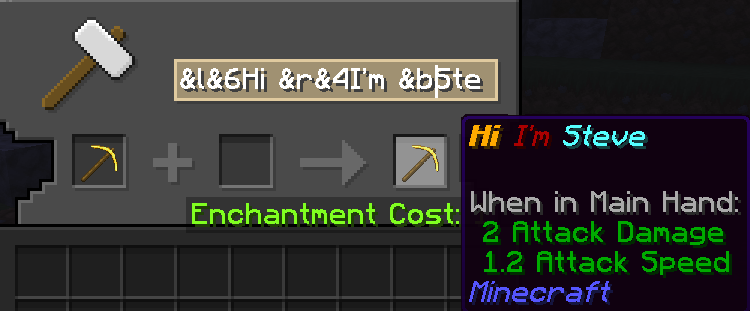
Color Codes
You can now use & color codes on signs, in anvils and in chat, allowing you to add some color to your messages, item names and builds.
To use them, simply type & followed by the code of the color you want, for example &a for green, &c for red, &e for yellow or &9 for blue. The other Minecraft color codes work the same way.
For instance, &aHello &cWorld will display Hello in green and World in red.
Bees
Bees no longer attack once their nest or beehive has been destroyed.
Breaking or moving a nest or a beehive is now much safer: the bees that lived there stop being a threat as soon as their habitat is gone, so you do not have to run away from an angry swarm.
This makes it easier to relocate hives, collect honey and set up bee farms without worrying about bees chasing you.
Bone Meal
Bone Meal can now be used on flowers, cactus and sugar cane, in addition to the plants it already works on in vanilla Minecraft.
Simply use Bone Meal on one of them to speed up its growth, which is especially handy to get your cactus and sugar cane farms started.
Whether you are building a large farm or simply decorating your base, Bone Meal now helps you with these plants too.
Leads
You can now attach a lead to every mob of the game: passive mobs (villagers included), hostile mobs and aquatic mobs.
This makes it much easier to move mobs around: bring a villager to your trading hall, guide your animals to a new pen or keep a mob close to you while you work.
You are no longer limited to the few mobs that vanilla Minecraft allows you to leash.
String Duplication
String duplication is back and works the way it did before Minecraft 1.21.1.
Players who remember the old behavior can use it again as they did in earlier versions of the game, making it easier to produce large amounts of string for their farms and crafting.
Golden Dandelion
The Golden Dandelion has an enhanced utility on Cubesia: it lets you change the age of some mobs with a simple right-click.
- Turns a baby into an adult (right-click).
- Turns an adult into a baby (right-click).
- Works on Villagers and all zombie variants.
Durability Ping
Durability Ping helps you avoid accidentally breaking your valuable equipment by warning you when it is close to breaking.
Whenever one of your equipped items falls below 10% of its maximum durability, you will automatically receive a notification reminding you to repair or replace it.
To prevent unnecessary spam, these warnings are protected by a cooldown, ensuring you are only notified occasionally instead of every time the item loses durability.
This quality-of-life feature gives you plenty of time to react, helping you protect your favorite gear and avoid costly accidents during mining, combat, or exploration.

Enchanted Book
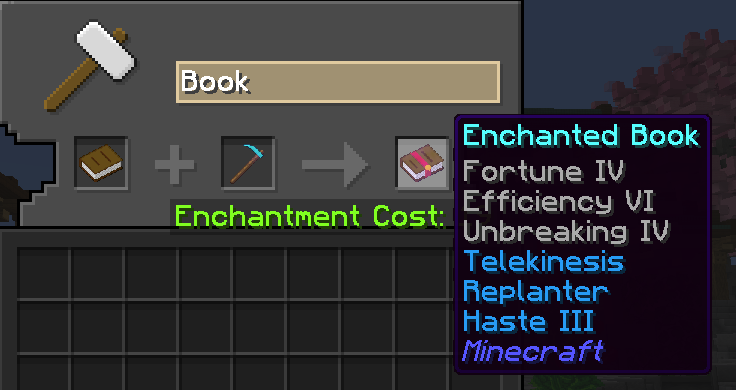
Enchanted Books allow you to extract the enchantments from an item and convert them into individual enchanted books.
Simply place an enchanted item, such as a pickaxe, into the interface to view every enchantment it contains. You can then choose which enchantments you want to turn into books for later use or trading.
Once the process is completed, the selected enchantments are transferred onto enchanted books, while the original item is consumed and permanently removed.
This feature is especially useful for recovering valuable enchantments from powerful equipment, reorganizing your gear, or selling custom enchanted books to other players without having to rely entirely on the enchantment table.
Villager Reroll
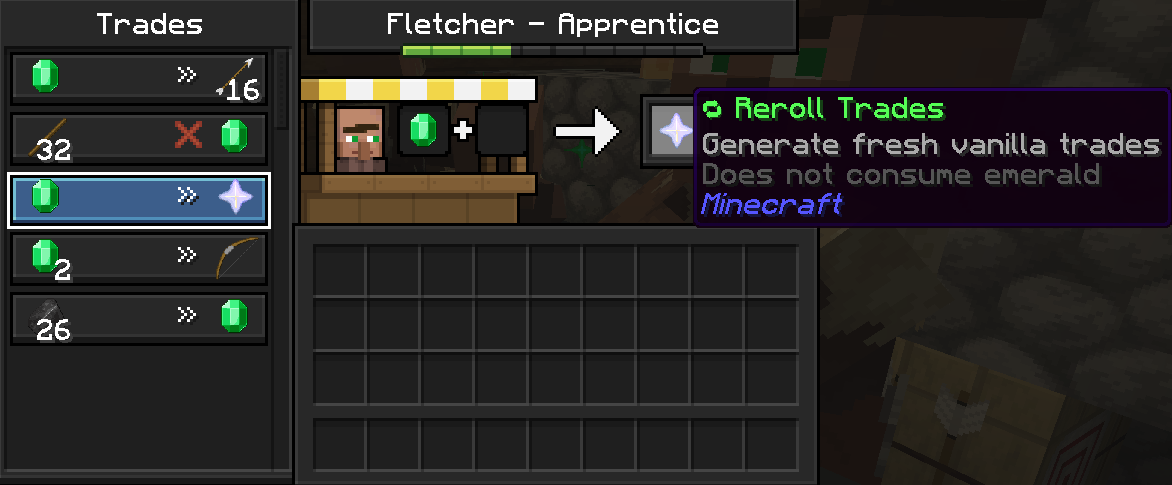
Villager Reroll lets you exchange the trades of your villagers without having to break and place their job site block again.
Normally, getting a new set of offers means breaking the villager's workstation and placing it back, hoping for better trades. With Villager Reroll, you can do it directly on the villager, which saves time and keeps your trading hall untouched.
This makes it much easier to find the trade you are looking for, without having to rebuild or rearrange your villager setup every time.
No Too Expensive
The infamous "Too Expensive!" message of the anvil is gone: you can now combine, repair and rename items no matter how high the level cost is.
In vanilla Minecraft, an anvil refuses any operation that costs 40 levels or more. On Cubesia, that limit no longer exists, so you can keep improving your best equipment as much as you want.
You only need to have enough experience levels to pay for the operation.
Beyond Vanilla Levels
You can now go above the maximum levels of vanilla Minecraft: enchantments are no longer limited to their usual cap, such as Efficiency VI.
Combined with No Too Expensive, you can keep upgrading your favorite gear much further than in the base game.
You can check the maximum level of every custom enchantment in the Enchantments tables.